Introduction
AI is changing the way people work, and workflow automation tools are at the center of that shift. Many businesses and professionals spend a lot of time on repetitive tasks, such as sending emails, managing data, updating records, and moving information between different apps. The best workflow automation tools can make these tasks easier by connecting different apps and automatically completing many steps.
The best AI workflow automation tools can make these tasks easier. They can connect different apps and automatically complete many steps. Some tools can also use AI to understand information, analyze data, and help with decisions.
However, there are many automation tools available in the market, and every tool has different features and uses. Because of this, choosing the right tool can be difficult, especially for beginners.
Overall, In this guide, we will look at the 8 best AI workflow automation tools in 2026. We will compare the main features, use cases, free and paid options, and pros and cons of each tool you can choose the right tool for your needs.
What Are AI Workflow Automation Tools?
AI workflow automation means using AI and automation tools to automatically complete repetitive tasks. Different apps can be connected so that information can move from one step to another automatically.
Traditional automation often handles simple tasks automatically, such as sending data from one app to another. AI workflow automation takes this one step further. AI can understand and analyze information and help take the next action based on it.
For example, of a customer submits a form on a website, the workflow can automatically save their information. AI can analyze the message, and the a notification can be sent to the relevant team.
As a result, businesses can reduce repetitive work and allow their teams to spend more time on important tasks.
Best AI Workflow Automation Tools in 2026
There are many AI workflow automation tools available today, but each tool is designed for different needs and workflows. For this guide, we have selected some of the best options and highlighted what makes each tool useful.
Gumloop: AI Workflow Automation Tool
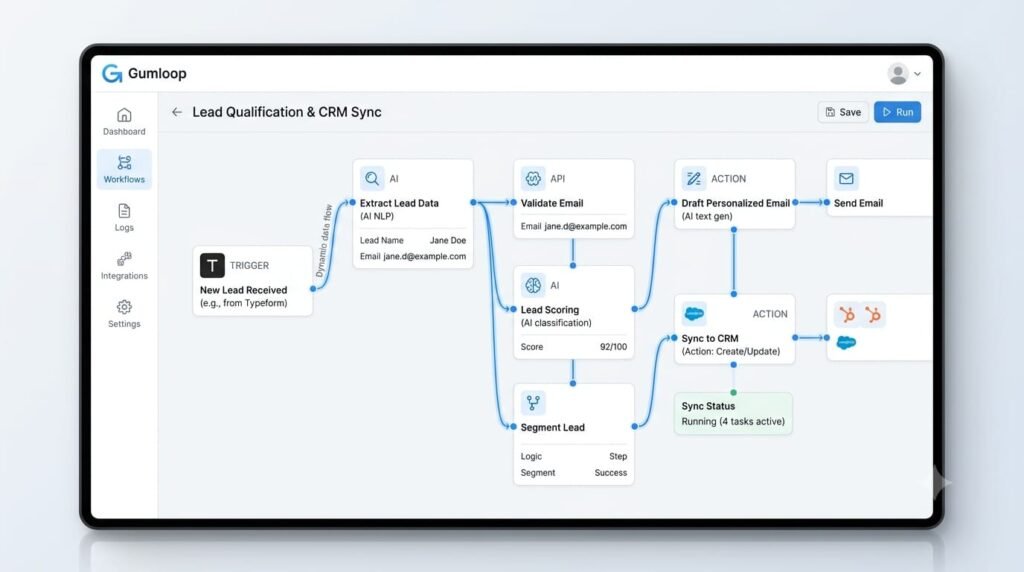
Gumloop is an AI-First automation platform that helps users build AI agents and intelligent workflows. It does not only move data between apps. It can also use AI to understand and process information and handle the next steps in a workflow.
Key Features
AI Agent: AI agents can be created for specific tasks.
No-Code Builder: Visual workflows can be created without coding.
AI Workflow Steps: Tasks such as summarizing, analyzing, categorizing, and processing data can be automated.
Integrations: Different apps and data source can be connected to workflows.
MCP Support: Helps connect AI agents with external tools and services.
Best For:
Marketing, sales, operations, and other teams that want to build AI-heavy workflows and intelligent automation.
Pros
- Strong focus on AI agents
- No-code workflow building
- AI-powered automation
- Integrations with external tools
Cons
- Advanced workflows may be difficult for beginners
- Credits may be used relatively quickly with heavy usage
Verdict:
For teams that need AI to actually understand information and act on it, Gumloop is a strong option
Zapier: AI Workflow Automation Tool
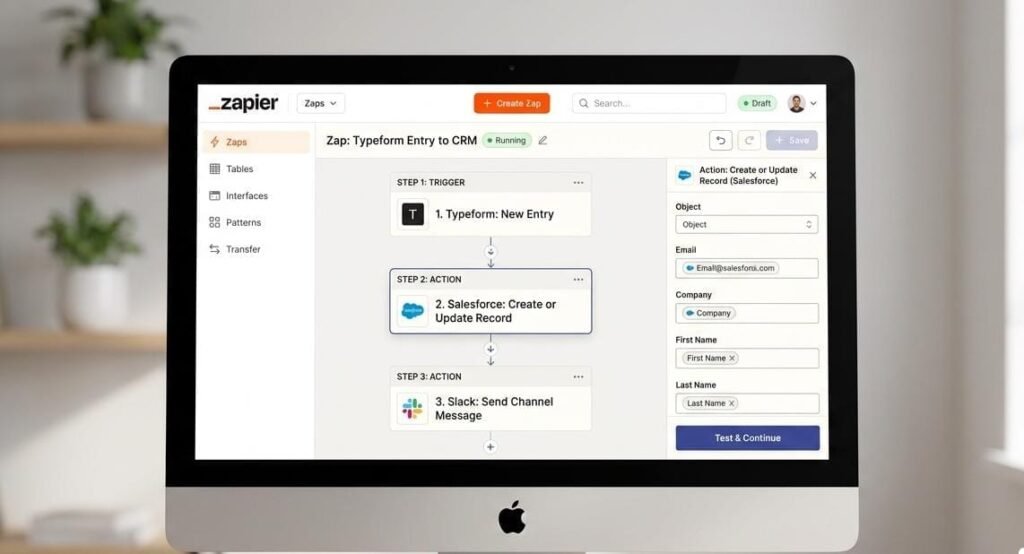
This popular automation platform that helps connect different apps and automatically complete repetitive tasks. Its no-code approach makes it easy for beginners and business teams to build workflows.
Key Features
App Integration: Different apps can be connected to create automated workflows.
AI Automation: AI can be used in workflows to process information and automate tasks.
No-Code Builder: Workflows can be created without coding.
Triggers & Actions: An event can be used as a trigger, and the required action can then be performed automatically.
Best for:
Businesses, marketers, and teams that use multiple apps and wamt to automate repetitive tasks.
Pros
- Huge app ecosystem
- Easy to use
- No-code automation
- AI features
Cons
- A paid plan may be needed for advanced usage
- High-volume automation can be expensive
Verdict:
For businesses that use multiple apps and want simple automation, Zapier is a strong all-round option.
n8n
n8n is a workflow automation platform that lets you connect different apps, services, and AI models in one visual, node-based workflow. Its main benefit is that users can run a self-hosted version or use n8n’s cloud service. Advanced users can also use JavaScript or Python when needed.
Key Features
Visual workflow builder: Build workflows visually by connecting different nodes.
AI Integration: Connect AI models inside workflows to create smart automation.
Custom Code: Advanced users can customize workflows using JavaScript or Python.
Self-Hosted Option: Run n8n on your own server.
App Integrations: Connect different services and apps in one workflow.
Best For
Developers, technical users, and businesses that want flexible and highly customizable automation workflows.
Pros
- Highly customizable
- Self-hosting option
- Flexible with AI and APIs
- Visual workflow builder
Cons
- Can be a little more complex than Zapier for beginners
- Technical knowledge is useful for advanced customization
Verdict
Technical users who want more control and customization will find n8n strong option.
Make
Make is a visual integration and automation platform that helps businesses connect different systems and apps, streamline processes, and use AI in workflows. Its visual approach makes it easier for users to see and manage complex workflows.
Key Features
Visual Automation: Workflows can be built and managed visually.
AI Automation: AI agents can be used in workflows to make tasks smarter and more adaptable.
App Integrations: Different apps and business systems can be connected to create automated processes.
Flexible Workflows: Workflows can be designed for everything from simple automation to complex business logic.
Scalable: Businesses can expand their workflows according to their growing automation needs.
Best for:
Businesses and teams that want to connect multiple systems and processes through visual and flexible automation
Pros
- Powerful visual workflow builder
- AI capabilities
- Flexible for complex workflows
- Useful for automating business processes
Cons
- Complex workflows may be confusing for beginners at first
- Advanced automation may have a learning curve
Verdict:
Teams needing flexible, visual control over complex workflows will find Make a strong option.
Pipedream
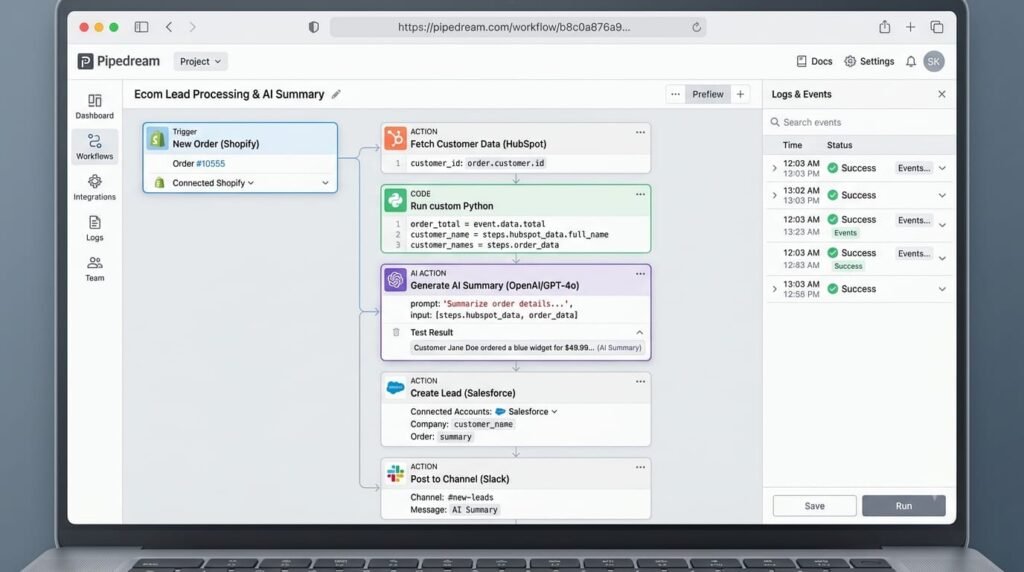
Pipedream is an automation platform that helps connect apps, APIs, and AI tools to automate workflows. It is especially useful for people who want more control and customization along with automation.
Key Features
API Integrations: Makes it easy to connect different APIs and apps.
AI Automation: AI can be included in workflows.
Custom Code: Workflows can be customized with code when needed.
Flexible Workflows: It can handle everything from simple automations to advanced processes.
Best for:
Developers and technical users who want to use AI, APIs, and automation together.
Pros
- Flexible automation
- Support for AI and APIs
- Customization options
Cons
- Some features may feel technical for beginners
Verdict:
Developers wanting flexibility and control beyond no-code tools will find Pipedream a good option.
Workato
Workato is a business automation platform that connects different apps and systems and automates repetitive business processes. It is especially useful for large businesses and enterprises where complex systems need to be connected.
Key Features
App Integration: Connect different business apps and systems.
Recipes: Workflows are created through “Recipes.”
Smart Workflows: Can automate complex processes with conditions and multiple steps.
Data Handling: Can process and transform data from different systems inside a workflow.
Best for:
Large businesses that want to automate complex workflows and multiple systems.
Pros
- Powerful business automation
- Supports complex workflows
- Strong integrations
Cons
- A little complex for beginners
- May be more advanced than needed for small businesses
Verdict:
Companies managing multiple complex systems will find Workato a strong option
Microsoft Power Automation
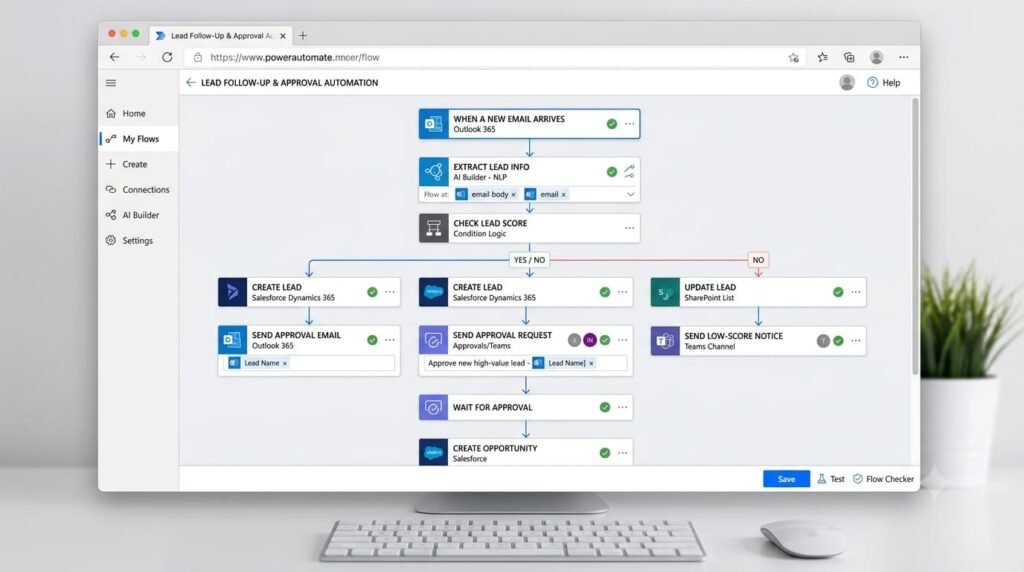
Microsoft Power Automation is an automation platform that helps businesses automatically manage daily tasks and complex workflows. With the help of AI and low-code tools, users can automate different processes without having a lot of technical knowledge.
Key Features
AI & Low-Code: Workflow can be created using AI and simple visual tools.
Pre-built Connectors: Makes it easy to connect different apps and services.
Workflow Automation: Everything from simple repetitive tasks to larger business processes can be automated.
RPA & Process Automation: It also provides options to automate manual computer-based tasks using software.
Best for:
Businesses and teams that want to automate daily tasks and larger workflows within the Microsoft ecosystem.
Pros
- Powerful automation features
- AI and RPA support
- Large number of integrations
Cons
- Advanced features may initially feel complex for beginners
- Setup may be less straightforward for some users outside the Microsoft ecosystem
Verdict:
Businesses wanting to combine AI and process automation within Microsoft’s ecosystem will find Power Automate a strong choice.
Lindy AI
Lindy AI is an AI agent platform that helps businesses and teams automate repetitive tasks and workflows. You can connect AI agents with different apps to handle emails, meetings, customer support, and other business tasks.
Key Features
AI Agent: Customized AI agents can be created for specific tasks.
Workflow Automation: Business processes with multiple steps can be automated.
App Integration: It can connect with email, calendars, CRM, and other business tools.
No-Code Setup: Agents and workflows can be created without advanced coding
Best for:
Businesses and teams that want to automate repetitive tasks and daily operations through AI agents.
Pros
- Strong focus on AI agents
- No-code approach
- Can automate multiple business tasks
Cons
- Advanced workflows may feel a little complex for beginners
- It is not better than traditional automation tools for every use case
Verdict:
Teams wanting AI to handle daily tasks and workflows will find Lindy AI a useful option.

Comparison Table
| Tool | Best For | Free plan | Main Strength |
| Gumloop | AI workflow automation | Yes | AI-powered workflow |
| Zapier | Simple app automation | Yes | Easy integrations |
| n8n | Custom & technical workflow | Yes | Flexibility and self-hosting |
| Make | Visual automation | Yes | Advanced visual workflow |
| Pipedream | Developer-focused automation | Yes | APIs and custom code |
| Workato | Enterprise automation | Limited | Business integration |
| Microsoft power Automation | Business & Microsoft workflow | Limited | Microsoft ecosystem |
| Lindy AI | AI assistants & automation automation | Yes | AI-powered task automation |
How to Choose the Right AI Workflow Automation Tool
First, do not look only at the price when choosing the right tool. Instead, look at your actual needs as well.
Ease of Use: For beginners, choose a simple no-code tool that is easy to use.
Integrations: Check whether your daily-use apps are supported.
AI Feature: Compare AI agents, AI actions, and smart automation capabilities.
Pricing: Always check free limits, credits, tasks, and paid plans.
Scalability: Choose a tool that can handle your growing workflows in the future.
The best tool is the one that fits your specific workflow, budget, and technical level.
FAQs
What is AI workflow automation?
AI workflow automation uses AI to handle repetitive tasks, analyze information, and make decisions within workflow with less manual work.
Which AI workflow automation tool is best?
It depends on your needs. Gumloop, Zapier, n8n, Make, Pipedream, Workato, Microsoft Power Automate, and Lindy AI all have different strengths and use cases.
Can I use AI workflow automation without coding?
Yes. Many tools offer no-code or visual workflow builders, so beginners can create automations without writing code.
Are AI workflow automation tools free?
Some offer free plans or trials, while advanced features and higher usage limits usually require a paid plan.
Conclusion
The best AI workflow automation tools are a smart way for businesses to automate repetitive tasks and save their teams’ valuable time. However, not every tool is suitable for every business.
Gumloop and Lindy AI are useful for AI-focused workflows and agents, while Zapier and Make are strong options for easy app integrations and general automation. N8n and pipedream may be better for technical users who want more customization, while Workato and Microsoft Power Automate are suitable for larger business operations.
In the end, choose a tool based on your needs, budget, integrations, and workflow complexity.


Pingback: 10 Best AI Tools for Students in 2026
Pingback: 10+ Best AI-powered study Tools for Students in 2026
Pingback: Best AI platform for Business: Top AI Tools in 2026
Pingback: AI and Customer Service: Powerful Strategies for Better Customer Support in 2026
Pingback: Artificial Intelligence Assistant: A Complete Guide for Beginners in 2026
Pingback: AI in Manufacturing: 7 Powerful Ways AI Is Changing production
Pingback: AI Agents for Business: Uses, Benefits, Tools & Guide 2026
Pingback: AI Tools for Marketing: Best Tools, Uses & Benefits in 2026