Introduction
AI has changed the way students study, learn, and prepare for exams. From understanding difficult topics to making notes, solving problems and practicing questions, AI-powered study tools can make many parts of learning easier and more organized. In my observation, studying today is much easier than it was years ago because students now have access to tools that can explain topics, create practice material and help them learn at their own pace.
However, not every AI tool is made for studying. Some are better for solving math problems, while others are useful for making flashcards, taking notes, learning languages, or understanding complex topics. In this article, I will cover some of the best AI-powered study tools and explain what each tool does, its key feature, pros, cons, pricing and what it can be best used for by students. for more ways to save time with AI, check out our guide to Best AI Workflow Automation Tools in 2026.
What are AI-Powered Study Tools?
AI-powered study tools are apps and platforms that use artificial intelligence to help students learn and study more effectively. They can explain difficult topics, create notes, make quizzes and flashcards, solve problems, and help students practice what they have learned.
These tools can also adjust to different learning needs. For example, a student can use an AI tool to get a simple explanation of a difficult topic or create practice questions for an upcoming exam. Instead of replacing learning, AI-powered study tools can work as a helpful study assistant that makes learning more organized and easier to manage.
How AI-Powered Study Tools Help Students Learn
AI-powered study tools can help students in many parts of their learning. They can make difficult tasks easier, save time, and help students stay organized.
- Understanding Difficult Topics: AI tools can explain hard topics in simple words and provide step-by-step guidance.
- Creating Notes and Summaries: students can use AI to turn long study material into shorter and easier notes.
- Quizzes and Flashcards: AI can create practice questions and flashcards to help students remember important information.
- Solving Math Problems: Some AI tools can solve math problems and explain the steps, helping students understand how to reach the answer.
- Language Learning: AI-powered tools can help students practice vocabulary, grammar, pronunciation and communication.
- Exam preparation: Students can use AI to create practice tests, review important topics and identify areas where they need more practice.
10+ Best AI-Powered Study Tools for Students
Here are some of the best AI-powered study tools that can help students learn, practice and manage their studies more effectively.
Quizlet
Quizlet is an AI-powered study tool that helps students learn through flashcards, practice questions and study activities. It can make revision easier by helping students review important in a simple and organized way.
Key Features
- AI-powered flashcards
- Practice questions and quizzes
- Study sets for different subjects
- Personalized learning activities
Best for:
Students who want to improve their memory, revise lessons and prepare for tests.
Pros
- Easy to use
- Useful for revision
- Helps with active recall
- Offers may ready-made study sets
Cons
- Some advanced features require a paid plan
- The quality of user-created study sets can vary
Pricing:
Quizlet offers free features, while some advanced AI and study features are available through paid plans.
Wolfram Alpha
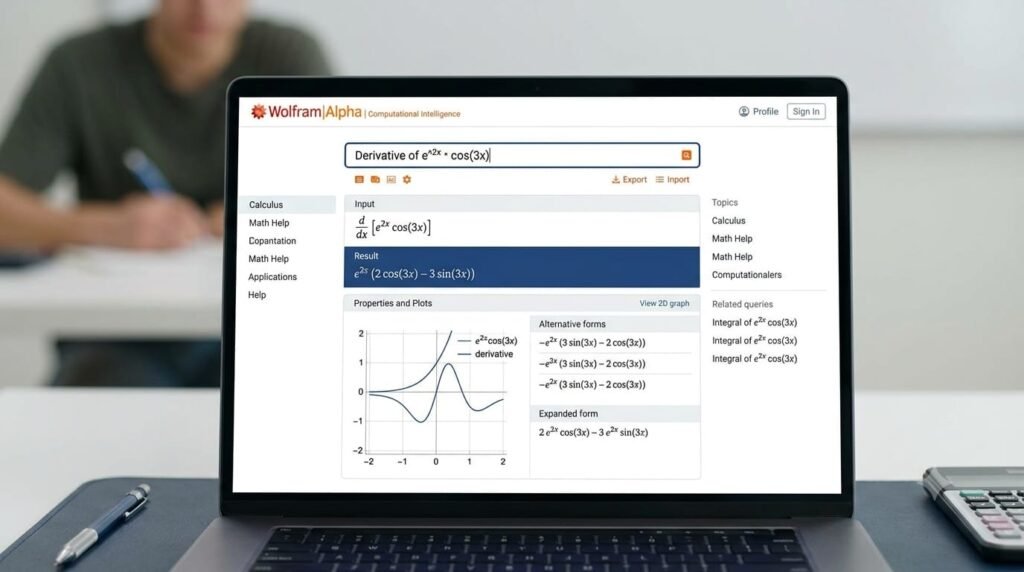
Wolfram Alpha is an AI-powered tool that helps students solve math and science problems and understand complex concepts. It can provide step-by-step solutions, calculation and useful explanations, making it helpful for students who need extra support while studying.
Key Features
- Step-by-step problem solving
- Math and science calculations
- Answers to complex questions
- Helpful visualizations and graphs
Best for:
Students who need help with mathematics, science and difficult calculations.
Pros
- Great for complex math problems
- Provides detailed solutions
- Useful for science subjects
- Can save time when checking answers
Cons
- Some step-by-step features require a paid plan
- It can feel difficult for beginners at first
Pricing:
Wolfram Alpha has a free version, while advanced features and step-by-step solutions are available with paid plans.
AskCodi
AskCodi is an AI-powered tool that can help students with coding and programming tasks. It can explain code, help write code, and make difficult programming concepts easier to understand. This makes it useful for students who are learning programming or working on coding assignments.
Key Features
- Code generation
- Code explanations
- Help with programming questions
- Support for different programming languages
Best for:
Students who are learning coding and need help understanding or working with code.
Pros
- Makes coding easier to understand
- Helps explain difficult code
- Useful for learning programming
- Can save time on coding tasks
Cons
- AI-generated code may sometimes need checking
- Some features may require a paid plan
Pricing:
AskCodi offers free and paid options, with more features available in its paid plans.
Gamma AI
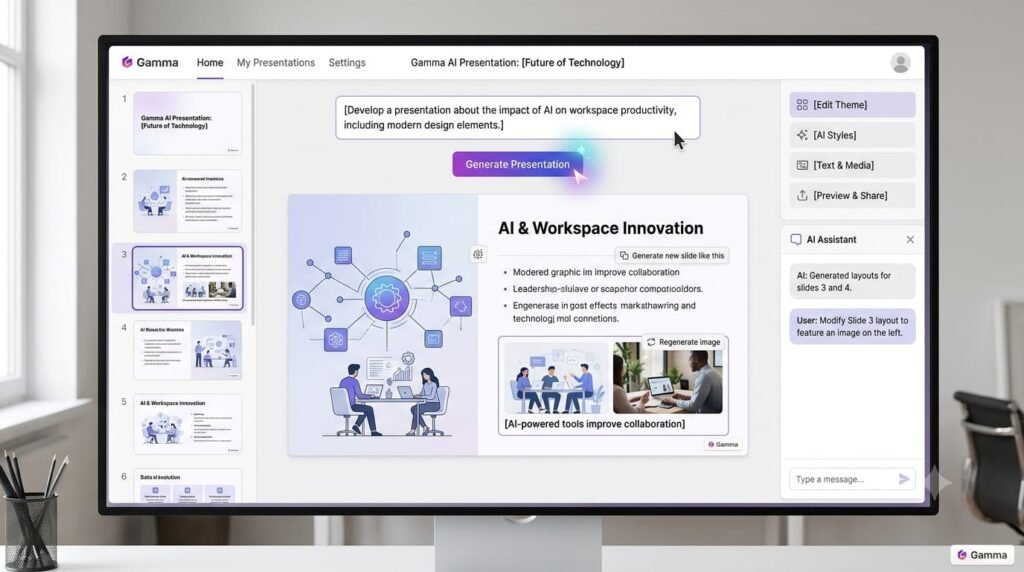
Gamma AI is an AI-powered tool that helps students create presentations and visual study materials quickly. It can turn ideas or written information into organized slides, making it useful when students need to present a topic in a clear and simple way.
Key Features
- AI-generated presentations
- Ready-to-use templates
- Easy slide editing
- Visual and organized layouts
Best For:
Students who need to create presentations for class projects, assignments, or academic topics.
Pros
- Saves time
- Easy to use
- Creates professional-looking presentations
- Useful for school and college projects
Cons
- Some advanced features require a paid plan
- AI-generated content may need editing
Pricing
Gamma AI offers a free plan, while paid plans provide additional features and more options.
Napkin AI
Napkin AI is an AI-powered tool that helps students turn written ideas and information into simple visual diagrams and graphics. It can make difficult information easier to understand by presenting it in a more visual way.
Key Features
- AI-generated diagrams and visuals
- Turns text into visual content
- Easy editing and customization
- Useful for notes and presentations
Best for:
Students who learn better with visuals or need to explain complex ideas through diagrams.
Pros
- Makes information easier to understand
- Simple to use
- Saves time when creating visuals
- Useful for study notes and presentations
Cons
- Some advanced features may require a paid plan
- AI-generated visuals may need some editing
Pricing:
Napkin AI offers a free option, while paid plans provide additional features and more flexibility.
Otter AI
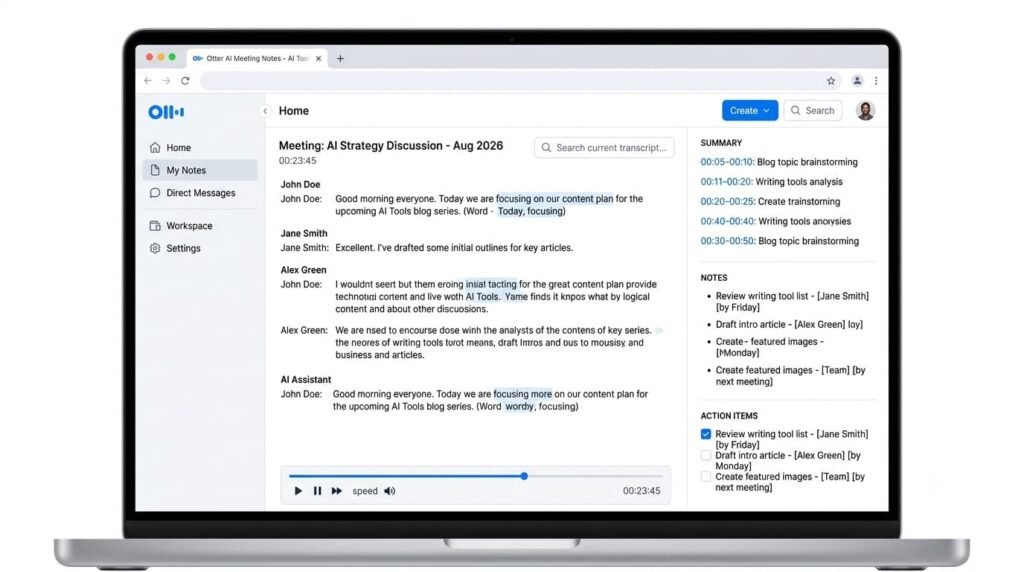
Otter AI is an AI-powered tool that can record and turn spoken conversations or lectures into written notes. For students, it can be useful for keeping track of important points during lectures and reviewing them later.
Key Features
- AI-powered transcription
- Automatic notes and summaries
- Searchable transcripts
- Helps organize lecture information
Best for:
Students who want to save lecture notes, review important points and keep their study material organized.
Pros
- Saves time when taking notes
- Makes lectures easier to review
- Helps find important information quickly
- Useful for organizing study material
Cons
- Transcription may not always be perfect
- Some features require a paid plan
Pricing:
Otter AI offers a free plan with limited features, while paid plans provide more transcription and AI features.
Photomath
Photomath is an AI-powered math tool that helps students solve math problems by showing the steps used to reach an answer. Students can enter a problem or scan it with their phone, making it useful for homework, practice and understanding difficult math questions.
Key Features
- Step-by-step math solutions
- Camera-based problem scanning
- Explanations for different math problems
- Support for a wide range of math topics
Best for:
Students who need help understanding math problems and checking their work.
Pros
- Easy to use
- Shows steps instead of only the final answer
- Helpful for homework and revision
- Saves time
Cons
- Some advanced explanations may require a paid plan
- Students should still understand the steps instead of only copying the answer
Pricing
Photomath offers a free version, while additional learning features are available through a paid
Socratic by Google
Socratic by Google is an AI-powered learning tool that helps students understand questions and difficult topics. Students can use it to get explanations, useful resources, and learning support across different subjects.
Key Features
- AI-powered explanations
- Support for different school subjects
- Helpful learning resources
- Easy question-based learning
Best for:
Students who need quick explanations and extra help with school subjects.
Pros
- Simple to use
- Helpful for understanding difficult topics
- Supports different subjects
- Good for quick study help
Cons
- It may not always explain every topic in the same level of detail
- Students should check important information with trusted sources
Pricing:
Socratic by Google is available for free.
Duolingo
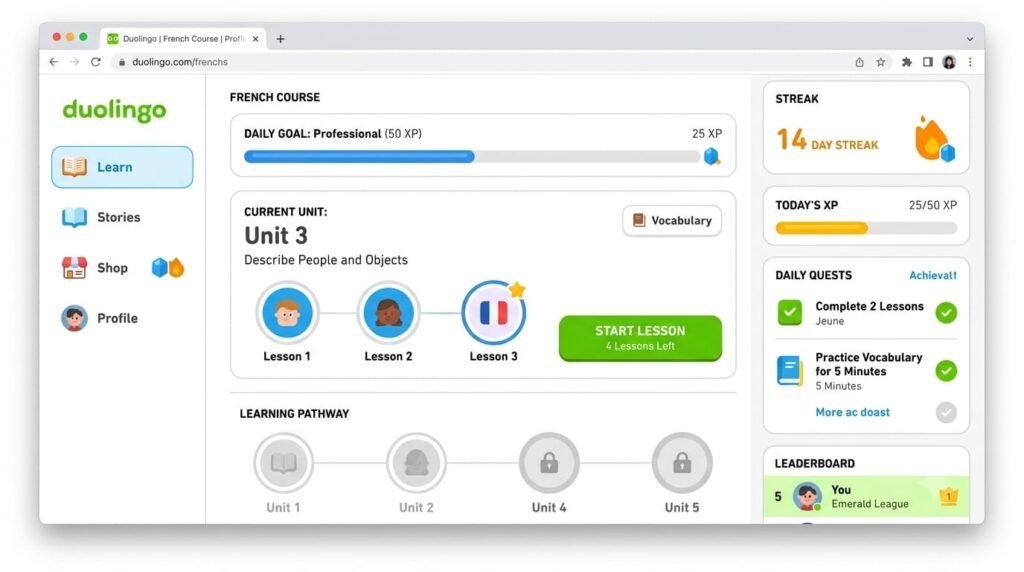
Duolingo is a popular language-learning platform that uses AI and personalized learning features to help students practice languages. It turns lessons into short, interactive activities, making it easier to build vocabulary, improve grammar and practice regularly.
Key Features
- Personalized language lessons
- Vocabulary and grammar practice
- Interactive exercises
- Progress tracking
Best for:
Students who want to learn a new language or improve their language skills through regular practice.
Pros
- Easy and engaging to use
- Short lessons fit into busy schedules
- Helps build consistent study habits
- Supports many languages
Cons
- Some advanced features require a paid plan
- It may not provide enough depth for advanced learners on its own
Pricing:
Duolingo offers a free version, with paid plans available for additional features and an ad-free experience.
Mendeley
Mendeley is a research and reference management tool that helps students organize academic papers, research sources, and citations in one place. It can make academic research more organized and reduce the time spent managing references for assignments, reports and projects.
Key Features
- Organizes research papers and references
- Citation and bibliography tools
- PDF management
- Helps manage sources for academic work
Best for:
Students working on research papers, assignments, theses and academic projects.
Pros
- Keeps research sources organized
- Makes citation management easier
- Useful for academic writing
- Helps students manage large collections of papers
Cons
- May take come time to learn
- Some features and storage options may have limitations
Pricing:
Mendeley offers free features, with additional storage and options available through paid plans.

Comparison of the Best AI-Powered Study Tools
| AI Study Tools | Best for | Key Features | Free Option |
| Quizlet | Flashcards & Revision | AI-powered study sets and quizzes | Yes |
| Wolfram Alpha | Math & Science | Step-by-step problem solving | Yes |
| AskCodi | Coding | Code generation and explanations | Yes |
| Gamma AI | Presentations | AI-generated slides | Yes |
| Napkin AI | Visual learning | AI-generated diagrams | Yes |
| Otter AI | Lecture Notes | Transcription and summaries | Yes |
| Photomath | Mathematics | Step-by-step math solutions | Yes |
| Socratic by Google | General Study Help | AI explanations and resources | Yes |
| Duoliogo | Language learning | Personalized language practice | Yes |
| Mendeley | Academic Research | Reference and citation management | Yes |
Quick takeaway:
the best tool depends on what a student needs. Quizlet is useful for revision, Wolfram Alpha and photomath for math, Otter AI for lecture notes and Mendeley for academic research.
How to Choose the Right AI-Powered Study Tool
The best AI study tool depends on your learning needs. Before choosing one, think about what you actually need help with, such as solving math problems, making notes, preparing for exams, learning a language, or managing research.
- Choose based on your subject: Use math-focused tools for calculations and language tools for language practice.
- Check the features: Make sure the tool offers the features you actually need.
- Look at pricing: start with free sometimes make mistakes, so verify important information.
- Check accuracy: AI can sometimes make mistakes, so verify important information.
- Consider ease of use: A simple tool is often better if you plan to use regularly.
- Use AI as a study helper: let AI explain and guide you, but make sure you understand the material yourself.
Tips for Using AI Study Tools Effectively
- Use AI to understand, not just to get answers.
- Ask-follow-up questions when a topic is difficult.
- Create quizzes and flashcards to test what you remember.
- Review and verify AI-generated Information before using it in assignments.
- Avoid copying AI answers directly into your work.
- Combine AI with your own notes, textbooks and class material.
- Use different tools for different needs instead of relying on one tool for everything
FAQs
What are AI-Powered study tools?
AI-powered study tools are apps and platforms that use artificial intelligence to help students understand topics, create study materials, practice question, take notes and prepare for exams.
Which AI tool is best for studying?
There is no single best tool for every student. The right choice depends on the task. For example, Quizlet is useful for revision, photomath for math and Otter AI for lecture notes.
Can AI study tools help with exam preparation?
Yes. students can use AI tools to create quizzes, flashcards, summaries and practice questions. They can also use them to review difficult topics before an exam.
Are AI study tools free?
Many AI study tools offer free versions, but some advanced features require a paid subscription. It is worth checking the free features before choosing a paid plan.
How can students use AI for studying?
Students can use AI to understand difficult topics, organize notes, practice questions, revise lessons and support research. However, they should always review important information and use AI as a learning assistant rather than simply than simply copying its answers.
Conclusion
AI-powered study tools are making learning more flexible, organized and accessible for students. From creating flashcards and solving math problems to taking lecture notes, learning languages and managing academic research these tools can support students in many different ways.
In my experience and observation, the biggest benefit of AI in education is not simply getting answers faster. It is having a study assistant available when you need an explanation, practice, revision, or help organizing information. However, students should still think independently, check important information and use these tools to improve their learning rather than replace it.
With the right tool and the right approach, AI can become a useful part of a student’s study routine and make learning more efficient without taking away the value of real understanding.