There is a strange thing about repetitive work.
Most of us know it wastes time. We know we have done the same task hundreds of times. We know there must be a better way
And still, we keep doing it.
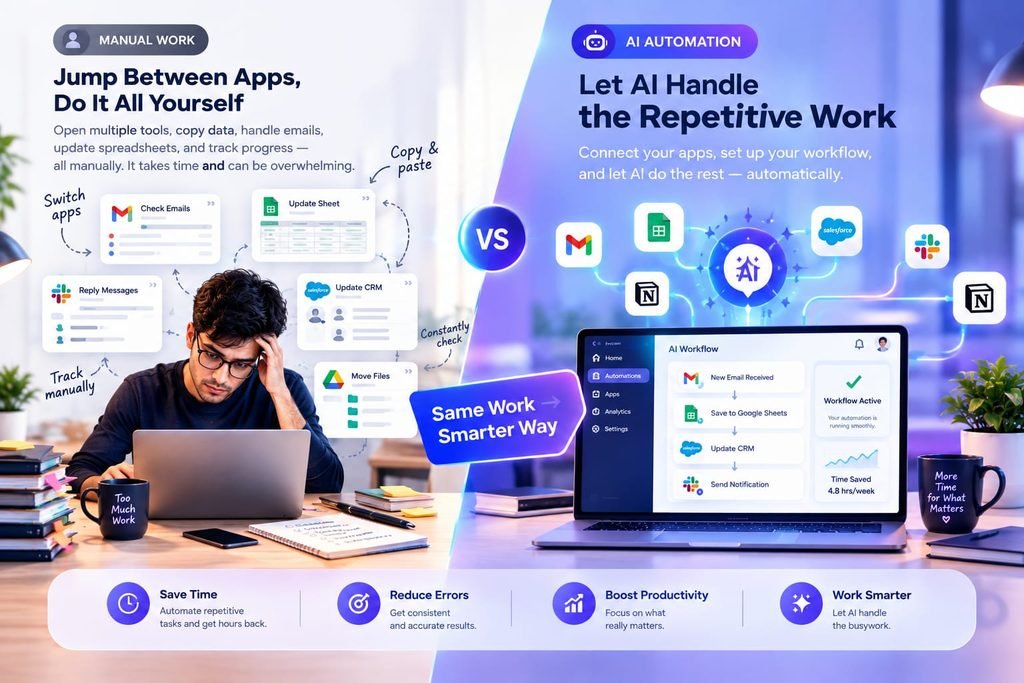
Copying information from one app to another. sorting incoming data. Sending the same type of email, Creating notifications, Moving files, Updating records. Checking whether something happened and then starting the next step.
None of these tasks are necessarily difficult.
They are just repetitive enough to quietly eat your day.
That is where AI workflow automation software becomes interseting.
The goal is not automate everything. The real goal is to find the parts of your work that should not require your attention every single time.
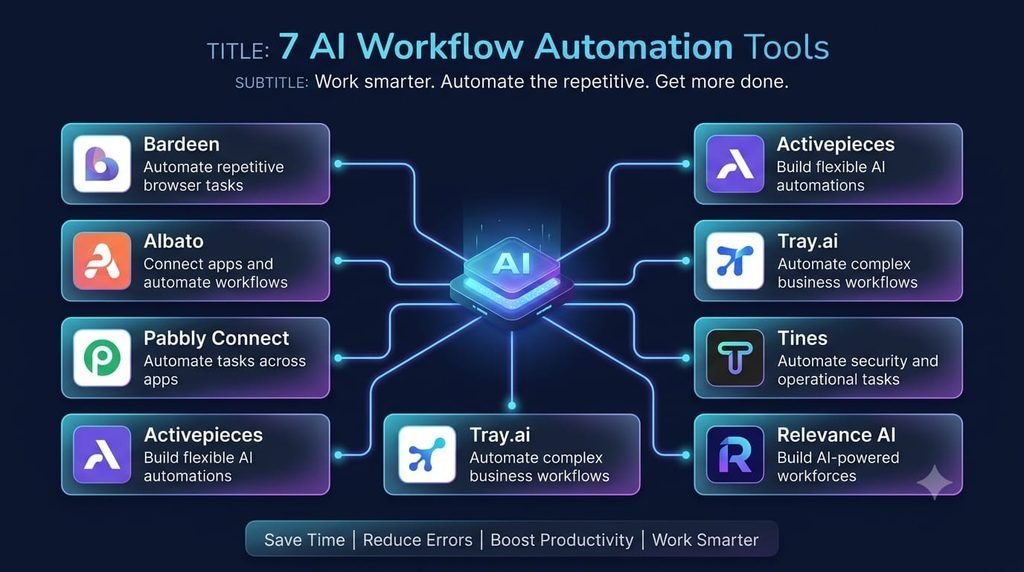
In this guide, we’ll look at seven tools that approach that problem in different ways. More importantly, we’ll look at what kind of work each tool makes sense for, who should consider it, and where automation may not be worth the trouble.
If you want to explore more workflow automation options, see our guide to Best AI Workflow Automation Tools in 2026
What Is AI Workflow Automation Software?
AI workflow automation software helps you create processes that can perform tasks automatically across different apps, data sources, and business systems.
Traditional automation usually follows fixed instructions:
When X happens + do Y.
Google Cloud also describes workflows as processes that can combine multiple steps, conditions, actions, and even human involvement.
AI can add another layer.
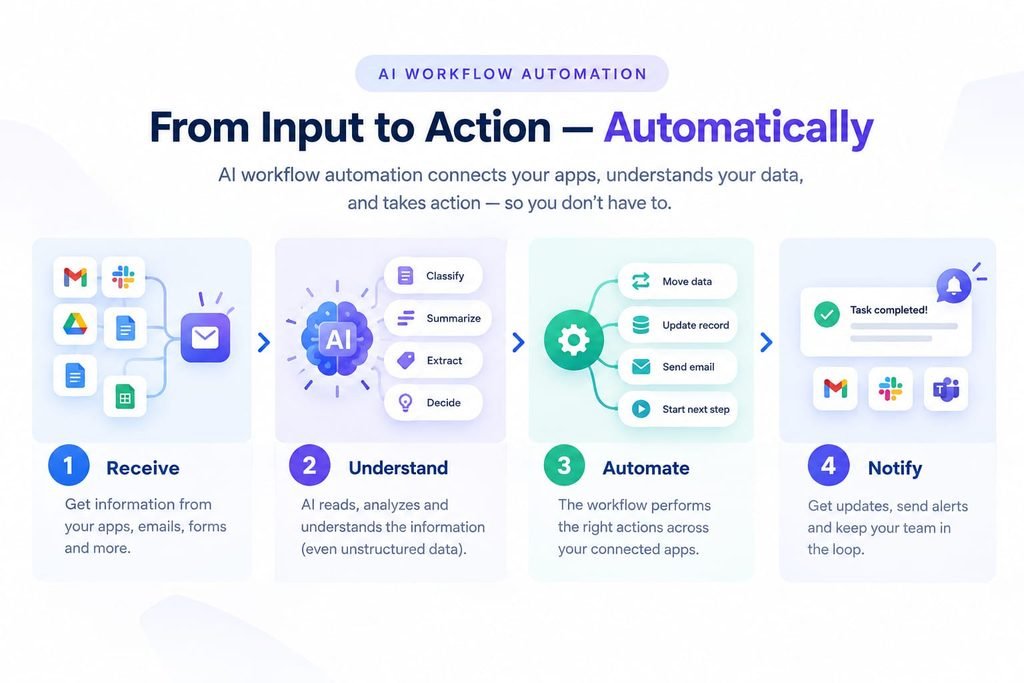
Instead of only following a fixed path, an AI-powered workflow can work with information such as text, documents, messages, or other unstructured data. Depending on the platform, AI may classify information, summarize it, extract details, generate content, or help decide what should happen next.
That makes AI workflow automation useful for tasks that are repetitive but not always identical.
But there is a catch.
More intelligence does not automatically mean better automation.
A simple rule can sometimes be more reliable than an AI system.
The question is not:
“Can I automate this?”
The better question is:
“Should I automate this, and what is the simplest reliable way to do it?”
What Can AI Workflow Automation Actually Do?
Think about a normal workday.
You receive information.
You read it.
You decide what it means.
You move something into another system.
You notify someone.
You update a record.
Then you repeat the process.
An AI workflow can potentially connect several of these steps.
- Move information between apps
Instead of manually copying information from one application to another, a workflow can transfer it automatically. - Understand incoming information
AI can be useful when the information is not neatly organized.
For example, a workflow might receive a message and determine its category before sending it to the next step. - Trigger the next action
Once a condition is met, the workflow can perform another action automatically. - Reduce repetitive checking
Instead of repeatedly checking whether something has happened, automation can monitor the process and trigger the next step.
That is where the time savings can become meaningful.
7 AI Workflow Automation Software Tools to Know
Bardeen
Bardeen is built around automating work that people repeatedly perform across their tools. Its newer AI capabilities include an Automation Assistant designed to help create automations, including through natural-language interaction.
Where it makes sense
Bardeen is particularly interesting when your work, involves repeated actions across websites, apps, and business tools.
For example, imagine collecting information from several sources, organizing it, and then sending the results somewhere else.
Who should consider it?
Freelancers, researchers, marketers, sales teams, and people whose work involves a lot of repetitive browser or app-based tasks may find this approach useful.
The important limitation
Automation becomes complicated when the process itself is unclear.
Before building anything, understand the workflow you actually want to automate.
Activepieces
Activepieces tskes a different approach by combining flows, AI agents, tables, and app integrations in one platform. its documentation describes agents that can perform tasks using apps and flows that connect triggers with actions.
Where it makes sense
Imagine a process where new information arrives, AI needs to interpret it, and then another action needs to happen.
That is more than a simple “if this, then that” rule.
Activepieces is designed for these kinds of connected workflows.
Who should consider it?
It can make sense for teams that want AI automation while also caring about governance, security, or self-hosting options.
The important limitation
More flexibility also means more decisions.
If your task is extremely simple, a more basic automation may be easier.
Albato
Albato focuses on connecting applications and building automated scenarios. Its own documentation recommends starting by identifying the process you want to automate and then breaking that process into steps
That sounds simple, but it is actually one of the most important parts of automation.
Where it makes sense
Suppose a form collects information
You want that information sent somewhere else.
Then you want another action to happen.
Albato can help connect those steps into a workflow.
Who should consider it?
Small businesses and teams that need to connect multiple applications without building everything from scratch.
The important limitation
The tool cannot fix a badly designed process.
If the workflow does not make sense manually, automation it will not magically make it better.
Pabbly Connect
Pabbly Connect focuses on connecting applications and automation multi-step workflows. Its current platform advertises more than 2,000 integrations and a workflow builder designed for usersb without technical skills.
Where it makes sense
It can be useful when one action needs to trigger several follow-up actions.
for example:
New form submission + save data + notify team + update another system.
Instead of manually completing each step, the workflow handles the sequence.
Who should consider it?
Freelancers, small businesses, and users looking for a visual way to connect multiple applications.
The important limitation
The number of integrations is not the same thing as the quality of your workflow.
Always start with the actual problem.
Tray.ai
Tray.ai is aimed more toward sophisticated business automation, where workflows may connect multiple systems and involve AI or agents.
Where it makes sense
Think about a company with several systems:
CRM + customer data + AI processing + business logic + another application.
A platform like Tray.ai becomes more relevant when simple app-to-app automation is no longer enough.
Who should consider it?
Growing companies and teams with more complex integration and automation requirements.
The important limitation
This type of platform can be unnecessary for someone who only wants to automate one or two basic personal tasks.
Tines
Tines takes workflow automation into a more controlled, business-oriented environment.
Its current AI capabilities allow an AI agent to run inside workflows, use tools, analyze data, and operate with configured instructions.
Tines also emphasizes a combination of deterministic automation, AI, and human checkpoints rather than simply handing every decision to AI.
Where it make sense
This approach is particularly relevant when workflows involve sensitive business processes, IT, security, or operations.
Who should consider it?
Organizations that need automation but also need control, governance, and oversight.
The important limitation
This is not necessarily the first tool a beginner needs for a simple personal workflow.
Relevance AI
Relevance AI is built around AI agents and business workflows.
The interesting part is the shift from:
‘Automate this sequence.”
to:
“Give an AI system a task and let it perform part of the workflow.”
Where it makes sense
This can be useful for businesses that want AI workers or agents to handle defined operational tasks.
Who should consider it?
Teams looking beyond basic automation and exploring more agent-based workflows.
The important limitation
AI agents require more attention than ordinary automation.
The more freedom you give an AI system, the more important it becomes to define what it can do, what it cannot do, and when a human should step in.
AI Workflow Automation vs Traditional Automation
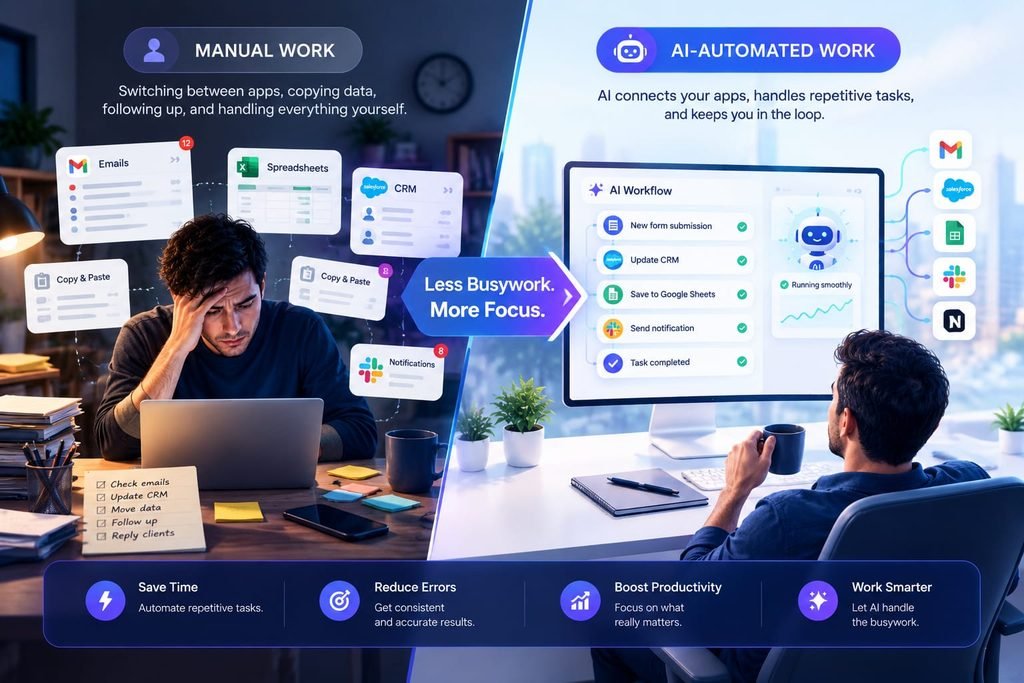
Traditional Automation
Follows predefined rules
Best for predictable tasks
Good for fixed processes
Usually easier to control
Often simpler to build
AI Workflow Automation
Can work with AI-driven decisions
Useful for some variable information
Can require more monitoring
Can handle some less-structured inputs
Can be more flexible
The important thing is that AI does not replace traditional automation.
In many useful workflows, they work together.
A fixed rule can handle predicatable steps.
AI can handle the part that requires interpretation.
And a human can handle the decision that actually matters.
How to Choose the Right AI Workflow Automation Software
Don’t start by asking which platform has the most features.
Start with your work.
Find one repetitive task
Look at your last week.
What did you do again and again?
Map the steps
Write the process down.
For example:
Receive + understand + organize + update + notify.
Decide where AI is actually needed
If a simple rule can handle the job, use a simple rule.
If the workflow needs text interpretation, classification, summarization, or another AI capability, that is where AI becomes more interesting.
Check your existing apps
The best automation is often the one that works with the tools you already use.
Think about mistakes
Ask:
What happens if the automation gets something wrong?
for low-risk tasks, that may not matter much.
For financial, customer, security, or sensitive business decisions, human review can be essential.
Who Should Use AI Workflow Automation Software?
Freelancers
It can reduce repetitive administrative work and give freelancers more time for client work.
Marketers
Automation can connect lead, content, reporting, and compaign workflows.
Small Businesses
Small teams can use automation to reduce repetitive operational tasks without adding another person for every manual process.
Larger Teams
Complex organizations can use automation to connect systems and standerdize recurring processes.
But there is no rule saying everyone needs AI automation.
If a task takes two minutes and happens once a month, automating it may create more work than it saves.
For businesses exploring broader AI platforms, our guide to AI Platform for Business can help you understand the bigger picture.
The Part Nobody Talks About: Automation Can Create More Work
This is where I think people get AI automation wrong.
We hear:
“Automate your work.”
So we start building workflows.
Then we discover that the workflow needs:
- Monitoring
- Testing
- Maintenance
- Error handling
- Better instructions
- Occasional human review
Suddenly, we have created another system to manage.
That does not mean automation failed.
It means automation itself needs to be treated like a system, not a magic buton.
The best workflow is not necessarily the most advanced one.
It is the one that relibly removes work without creating an even bugger maintenance problem.
So, Is AI Workflow Automation Software Worth It?
It can be __ when you automate the right problem.
If you spend hours every week moving information, checking the same things, organizing repetitive data, or performing predictable digital tasks, automation deserves a closer look.
But don’t automate simply because a tool says you can.
Find the boring task first.
The n find the simplest reliable way to remove it.
That small change in thinking can make a bigger difference than collecting dozens of AI tools.
Frequently Asked Questions
What is AI workflow automation software?
It is software that helps automate connected work processes while using AI for tasks such as interpreting information, generating content, classifying data, or supporting decisions.
What is the difference between AI automation and workflow automation?
Traditional workflow automation usually follows predefined rules. AI automation can add capabilities for working with less-structured information and AI-driven tasks.
Can AI workflow automation replace repetitive work?
It can automate many repetitive steps, but human review may still be necessary for important or sensitive decisions.
Is AI workflow automation useful for small businesses?
Yes. Small businesses can use it to reduce repetitive administrative and operational work. The key is choosing workflows where the time saved justifies the setup.
Is more automation always better?
No. A simple manual task can sometimes be faster than building and maintaining an automation for it.
Final Thoughts
The Biggest mistake is asking:
“Which AI automation tool is the best?”
There is no single answer.
The better question is:
“What am I still doing manually that I shouldn’t have to do anymore?”
Find that task.
Break it into steps.
Decide which parts actually need AI.
Automate the repetitive work.
And keep a human involved where the decision matters.
Because the real promise of AI workflow automation software is not having another impressive tool on your screen.
It is getting your time back.