Introduction
In 2026, AI has become a useful part of student life. From studying and research to writing, coding, and presentations, AI tools can help students save time and learn more effectively.
But with so many AI tools available, it can be hard to know which ones are actually worth using. In this article, we’ll explore the Best AI tools for students in 2026, including their key features, best uses, pros, cons and pricing.
I’ve personally tested the AI tools covered in this article and shared my experience with each one to help you understand which tools are actually useful for students. If you are looking for the best AI tools for students, these tools can make studying, research, writing and daily tasks easier.
What can the best AI Tools for Students Do?
AI tools can help students with many parts of their academic life. They are not only useful for writing assignments but can also make learning, research, and daily study tasks easier. Choosing the best AI tools for students depends on your study needs, budget and the type of tasks you want AI to help with
- Study and Learning: Explain difficult topics in simple words and help students understand lessons.
- Research: Help find, organize, and understand information for projects and assignments.
- Notes and Summaries: Turn long information into short-to-read notes and summaries.
- Writing: Help improve grammar, writing style, and ideas for essays and assignments.
- Presentations: Help create ideas, slides, and content for school or college presentations.
- Coding: Help students learn programming, understand code, and find errors.
- Productivity: Help manage tasks, plan study time, and stay organized.
The right AI tool can save time while helping students learn and work more efficiently.
10+ Best AI Tools for Students in 2026
With so many AI tools available, students have more ways to study, research, write, and stay organized. But not every tool is equally useful. Here are some of the Best AI tools for students in 2026, chosen for different study needs and tasks.
ChatGPT
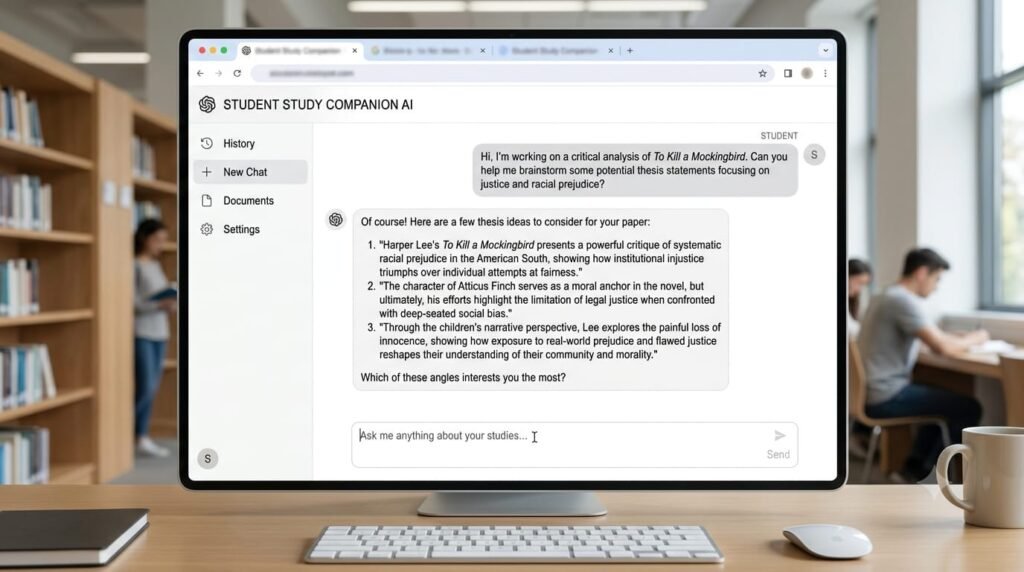
ChatGPT is an AI tool that helps students with studying, research, writing, coding, and understanding difficult topics. It can explain lessons in simple words, summarize information, help improve writing, and answer questions.
From my experience, I found ChatGPT especially useful when i needed a quick explanation of a difficult topic or wanted to understand something in simpler words. It also helped me save while working on different study tasks.
Key Features
- Study help and explanations
- Writing and grammar support
- Summaries and notes
- Research help
- Coding assistance
Best For:
Students who want an all-round AI assistant for learning and academic tasks.
Pros
- Easy to use
- Useful for many subjects
- Helps explain difficult topics
Cons
- Can sometimes give incorrect information
- Students should check important facts
Pricing
Free plan available, with paid plans offering additional features.
NotebookLM
NotebookLM is an AI research and study tool that helps students learn from their own study materials. You can add notes, PDFs, documents, or other sources, and it can summarize them, answer questions, and help you understand the content.
NotebookLM was especially useful for understanding long notes and documents, as it helped me quickly find important information and get clear summaries.
Key Feature
- Summarizes study materials
- Answers questions from your sources
- Creates study guides and notes
- Helps understand difficult topics
- Supports multiple source types
Best For
Students who want to study and research using their own notes and documents.
Pros
- Works with your own sources
- Useful for research and study
- Makes long materials easier to understand
Cons
- Works best when you provide good-quality sources
- Some advanced features may have limits
Pricing
Free version available, with paid options offering higher limits and additional features.
Notion
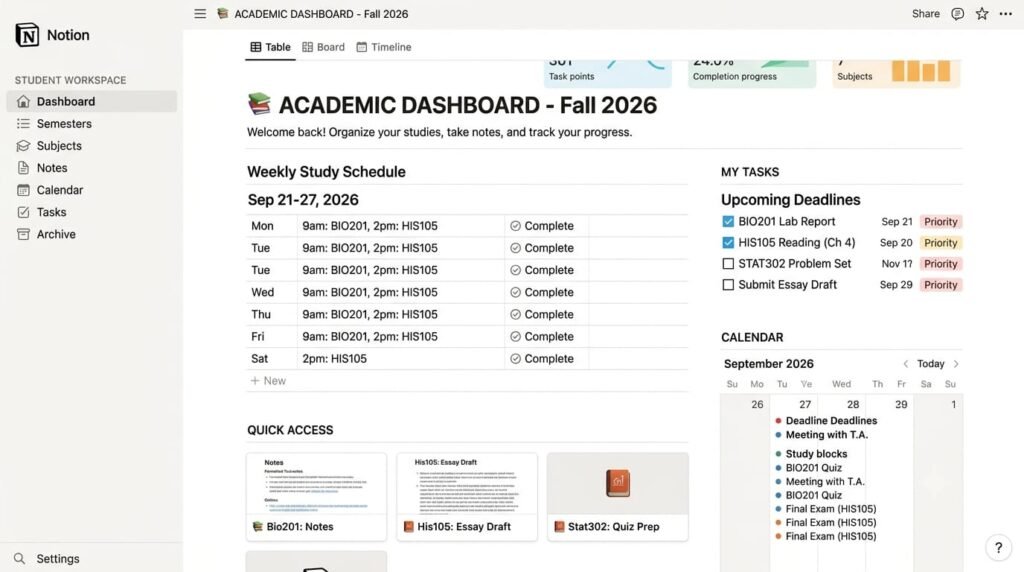
Notion is a workspace tool that helps students organize notes, assignments, projects and study plans in one place. With features, students can also summarize notes, improve writing, and find useful information faster.
From my experience with Notion, I found it especially useful for creating project management templates and workspaces. I used it to organize tasks, track projects, and manage different parts of a project in one place. This hands-on experience showed me how flexible Notion can be for organizing work and staying on top of tasks.
Kay Features
- Notes and study planning
- AI summaries
- Task and project management
- Writing assistance
- Custom pages and templates
Best for:
Students who want to keep their notes, tasks, and study plans organized in one place.
Pros
- Easy to organize
- Useful AI features
- Good for notes and planning
Cons
- Can take some time to learn
- Some AI features require a paid plan
Pricing
Free plan available, with paid plans for more features and AI usage.
Grammarly
Grammarly is an AI writing tool that helps students improve their writing. It can check grammar, spelling, punctuation, and clarity, while also helping users make their writing easier to read.
From my experience, Grammarly was useful for quickly finding grammar mistakes and making my writing clearer.
Key Features
- Grammar and spelling checks
- Writing suggestions
- Sentence and clarity improvement
- AI writing assistance
- Plagiarism checking on supported plans
Best For:
Students who want to improve their essays, assignments, emails, and other written work.
Pros
- Easy to use
- Fast writing feedback
- Helps make writing clearer
Cons
- Many advanced features are paid
- AI suggestions may still need human review
Pricing
Free plan available, with paid plans offering more advanced writing and AI features.
Google Gemini
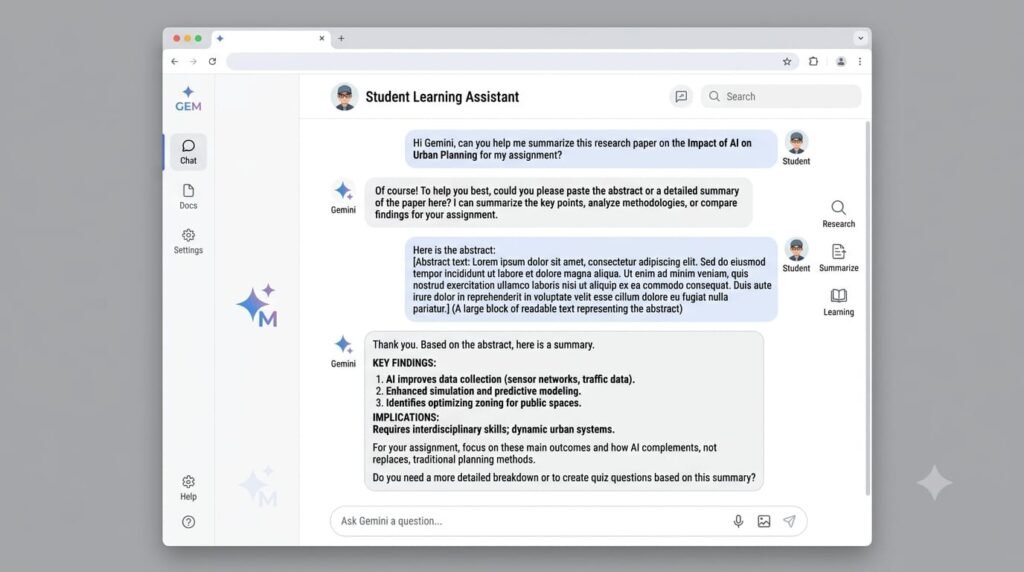
Google Gemini is an AI tool that can help students with studying, research, writing, and understanding difficult topics. It can also work with images and files, making it useful for different types of school and college tasks.
I found Gemini useful when I needed quick explanations and help with research or study material. Its ability to work with different types of content also made it useful for more than just simple questions.
Key Features
- Study help and explanations
- Research and Deep Research
- File and image support
- Writing assistance
- Quizzes and study guides
- Google app integration
Best For:
Students who want an AI assistant for studying, research, writing, and different types of academic tasks.
Pros
- Useful for many student task
- Works with files and images
- Strong research and study features
- Easy to use
Cons
- Some advanced features have usage limits
- Some features depend on the plan and region
Elicit
Elicit is an AI research tool that helps students find and understand academic papers and research. It can search for relevant studies, summarize, making research work faster and easier.
I found Elicit especially useful when working on research topics because it helped me find relevant papers and understand key information without having to read every paper from start to finish.
Key Features
- Academic paper search
- Research summaries
- Literature review support
- Information extraction
- Research organization
Best for:
Students who need help with academic research, literature reviews, and finding reliable research papers.
Pros
- Useful for academic research
- Saves time when reviewing papers
- Makes research information easier to understand
Cons
- Mainly focused on research tasks
- Some advanced features may require a paid plan
Pricing:
Elicit offers a free plan, with paid plans available for users who need higher limits and advanced research features.
RemNote
RemNote is an AI-powered study tool that helps students take notes, create flashcards, and review lessons in one place. It is designed to make learning and remembering information easier.
I found RemNote useful for turning study notes into flashcards and reviewing important information. It made revision more organized and helped me focus on the topics i needed to remember.
Key Features
- Smart note-taking
- AI flashcards
- Spaced repetition
- PDF and document support
- Study planning
Best for
Students who want to improve their note-taking, revision, and memory.
Pros
- Great for revision
- Combines notes and flashcards
- Helps with long-term learning
Cons
- Can take some time to learn
- Some advanced features require a paid plan
Pricing
Free plan available, with paid plans offering more AI features and study tools.
Microsoft Math Solver (free)
Microsoft Math solver is an AI-powered math tool that helps students solve math problems and understand the steps behind the answer. It can work with topics such as algebra, equations, graphs, and other common math problems.
I found Microsoft Math Solver useful when was stuck on a math problem because it showed the solution steps instead of giving only the final answer.
Key Features
- step -by-step math solutions
- Algebra and equation solving
- Graphs and visual explanations
- Supports different math problems
- easy-to -use interface
Best for
Students who need help solving math problems and understanding the steps.
Pros
- Easy to use
- Shows solution steps
- Helpful for learning math
Cons
- Mainly focused on math
- May not cover every advanced problem
Pricing:
Microsoft Math Solver is available for Free.
Perplexity AI
Perplexity AI is an AI-powered search and research tool that helps students find information and understand topics more quickly. It provides answers with sources, making it useful for research, study questions, and finding reliable information.
I found perplexity useful when researching a topic because it gave me quick answers along with sources that i could check for more information.
Key features
- AI-powered search
- Answers with sources
- Research support
- Summaries of complex topics
- Follow-up questions
Best for
Students who need quick research, clear answers, and sources for their studies.
Pros
- Quick and easy research
- Provides sources
- Useful for understanding topics
Cons
- Answers should still be checked
- Some advanced features require a paid plan
Pricing
Free plan available, with paid plans offering higher limits and more advanced features.
QuillBot
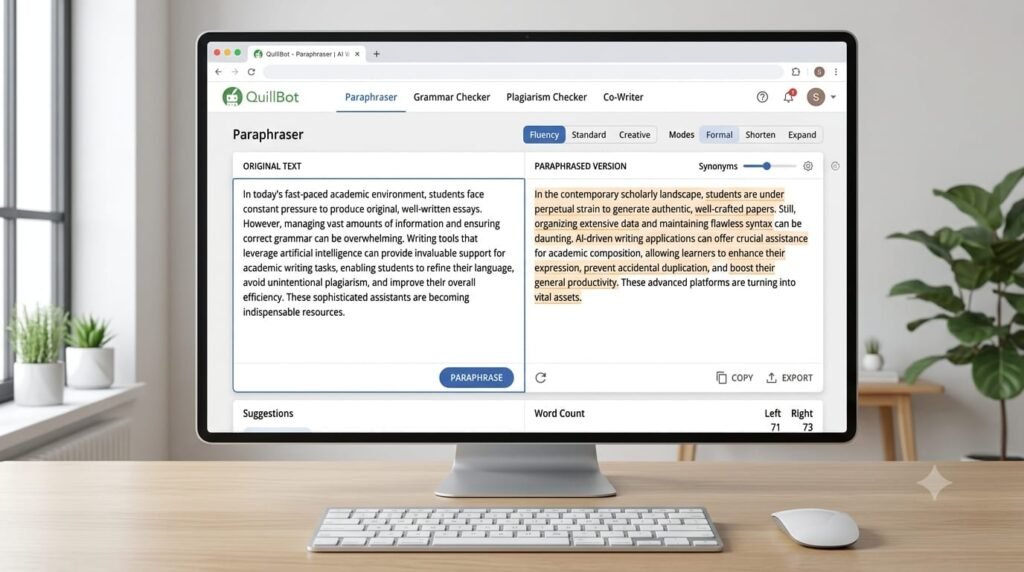
QuillBot is an AI writing tool that helps students improve and rewrite their text. It can paraphrase sentences, fix grammar, summarize long content and make writing clearer and easier to read.
I found QuillBot useful when i wanted to improve the wording of my writing without changing the main meaning. It was also helpful for making long text shorter and easier understand.
Key features
- AI paraphrasing
- Grammar checking
- Text summarizing
- Writing improvement
- Citation improvement
Best for
Students who want to improve, rewrite, or summarize their academic writing.
Pros
- Easy to us
- Good for rewriting and summarizing
- Helps improve writing quality
Cons
- Free version has limits
- Some advanced features require a paid plan
Pricing
Free plan available, with paid plans offering more features and higher usage limits.
Best AI Tools for Students: Comparison Table
| AI Tool | Best For | Practical Experience | Free Plan | Main Strength |
|---|---|---|---|---|
| ChatGPT | Study, writing & general help | Useful for explaining difficult topics and getting quick study help | Yes | All-round AI assistant |
| NoteBookLM | Notes & research | Useful for understanding and summarizing long notes and documents | Yes | Source-based learning |
| Notion | Notes & project management | Useful for creating project-management templates, organizing tasks and managing workspaces | Yes | Organization |
| Grammarly | Writing & Grammar | Useful for finding grammar mistakes and making writing clearer | Yes | Writing improvement |
| Google Gemini | Research & study | Useful for quick explanations and working with different types content | Yes | AI-powered study support |
| Elicit | Academic research | Useful for finding research papers and understanding academic information | Yes | Research support |
| RemNote | Revision & flashcards | Useful for turning notes into flashcards and organizing revision | Yes | Spaced repetition |
| Microsoft Math Solver | Mathematics | Useful for solving math problems and understanding solution steps | Yes | Step-by-step solutions |
| Perplexity AI | Research & Search | Useful for getting quick answers and checking sources | Yes | AI-powered research |
| QuillBot | Writing & paraphrasing | Useful for improving wording and summarizing long text | Yes | Paraphrasing |
How to Choose the best AI Tool for Students?
Student can use the best AI tools for students to improve research, writing, note-taking and study productivity. Choosing the right AI tool depends on what you need it for. Before picking one, consider these points:
- Purpose: Choose a tool that matches your study needs, such as writing, research, math, or note-taking.
- Ease of Use: Pick a tool that is simple and easy to understand.
- Features: Check if it offers the features you actually need.
- Pricing: Look at the free plan and paid features before making a choice.
- Accuracy: Always check important information before using it in your assignments.
The best AI tool is the one that fits your learning needs, budget and study style.
Explore More AI Tools for Students
If you are also interested in automating repetitive tasks, check out our guide to Best AI Workflow Automation Tools in 2026.
FAQs
What are the best AI tool for students in 2026?
There is single best tool for everyone. The right choice depends on what you need, such as studying, research, writing, math or note-taking.
Are the best AI tools for students free?
Many AI tools offer free plans, but some advanced features and higher usage limits require a paid plan.
Can students use AI tools for studying?
Yes. AI tools can help students understand difficult topics, create summaries, make study notes, and practice lessons.
Which AI tool is best for research?
Tools like Perplexity AI, Elicit and NoteBookLM
Can be useful for research because they help students find, understand and organize information.
Can AI tools replace teachers?
No. AI can support learning, but teachers provide guidance, context and feedback that AI cannot fully replace.
Conclusion
AI tools can make student life easier by helping with studying, research, writing, notes, math and staying organized. But the best tool depends on what you actually need.
From ChatGPT and Gemini to NoteBook LM, Perplexity AI, Grammarly, Notion and other tools covered in this article, each one has its own strengths. Some are better for research, some for writing, while others are made for notes, revision, or solving problems.
The key is not use AI for everything, but to use the right tool for the right task. Choose based on your needs, budget and learning style, and always use AI as a study helper rather than a replacement for your own thinking. The best AI tools for students can save time and make learning more organized and productive.