This is Part 4 of the “Automate Your Life with Claude AI” series. Catch up on the earlier parts — LinkedIn, Email, and ClickUp automation with Claude.
Job hunting is exhausting. You scroll through dozens of listings, rewrite your resume for each one, write a new cover letter every time, and still don’t know if you’re even a good fit for half of them. If you’ve been searching for how to automate Indeed job search with Claude AI, this guide will walk you through it, step by step.
We’ll cover two ways to do this — a simple method you can start using today, and a more advanced setup for people who want to go further.
Why Job Searching Takes So Long
Applying for jobs sounds straightforward, but the small tasks pile up fast:
- Reading through long job descriptions
- Rewriting your resume so it matches each role
- Writing a new cover letter every single time
- Trying to guess if a job is actually worth applying to
Claude can take over most of this work, so you spend your time applying to the right jobs instead of formatting documents.

Method 1: The Easy Way (Best for Beginners)
This method needs no setup at all. You copy the job listing, paste it into Claude, and let it do the heavy lifting.
1. Check If a Job Is Worth Applying To
Before spending time on an application, ask Claude to break it down for you:
“Here’s a job posting: [paste it]. Based on my resume [paste your resume], does this look like a good fit? What are the stringest and weakest matches?”
This saves you from applying blindly to jobs that were never a real match in the first place.
2. Tailor Your Resume for Each Job
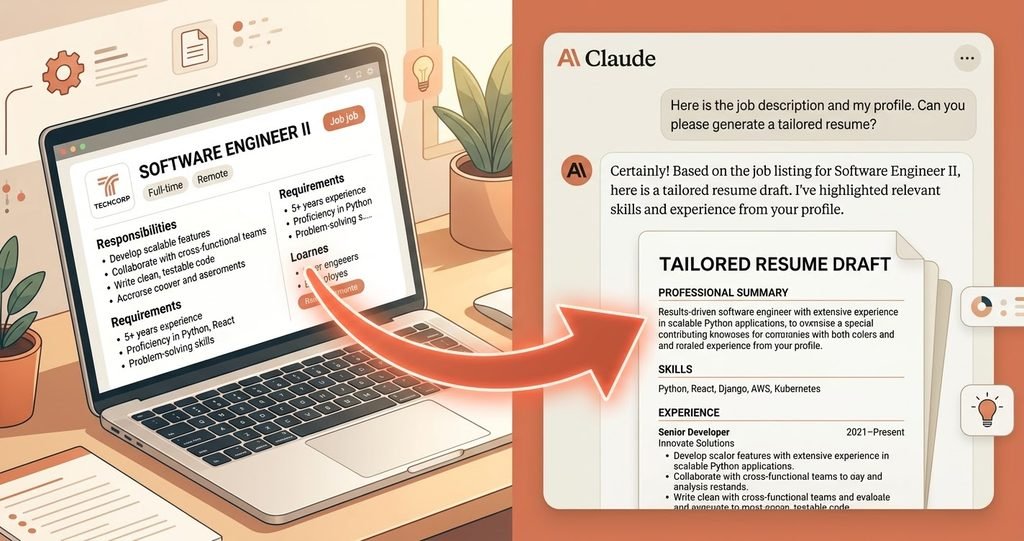
“Here’s the job description: [paste it]. Here’s my current resume: [paste it]. Rewrite my resume so it matches the keywords and requirements in this job.”
A tailored resume has a much better chance of getting past automated screening of getting past automated screening systems that many companies use.
3. Write a Cover Letter in Seconds
“Write a short, genuine cover letter for this job: [paste job description]. Here’s bit about my background: [paste details].
4. Prepare for the Interview
“Based on this job description, what are 10 questions I might get asked in the interview, and how should I answer them?”
What you get: A faster, smarter application process __ without sending the same generic resume to every job.
How to Automate Indeed Job Search with Claude AI (Advanced Method)
How to Automate Indeed Job Search with Claude AI (Advanced Method)
If you’re applying to a lot of jobs and want to go beyond copy-pasting, this is where things get more hands-off.
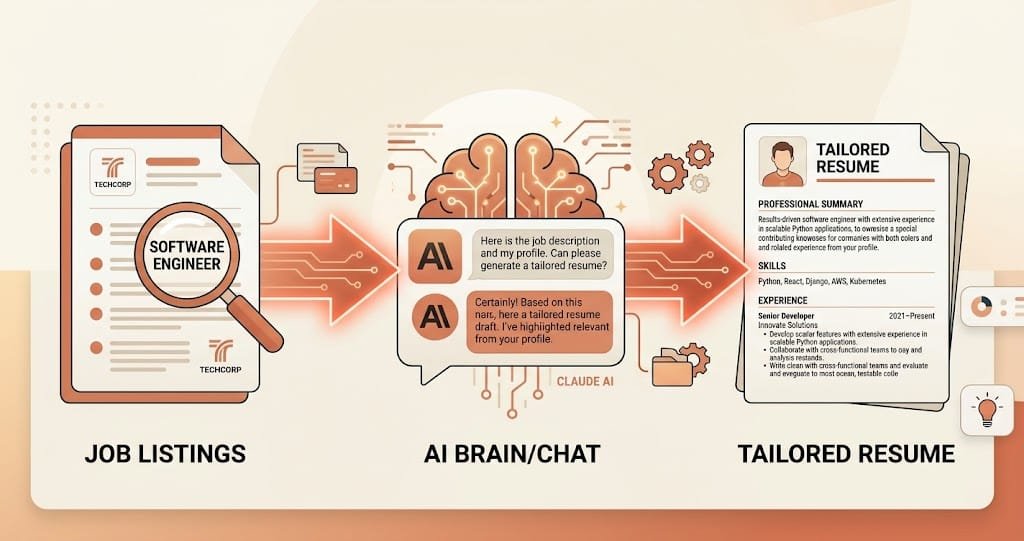
Here’s something worth knowing upfront: Indeed does not have an official, direct connection to Claude. So true automation — where listings flow in and applications go out without you touching anything — isn’t something you flip on with one click. What people actually do is connect Claude to Indeed through a bridge tool, something like n8n or Zapier, that can pull job listings and pass them to Claude for review.
How this generally works:
- You set up a workflow in a tool like n8n that searches Indeed for jobs matching your criteria (title, location, keywords)
- Each new listing gets sent to Claude automatically
- Claude reviews the listing against your resume and flags the ones worth applying to, or even drafts a tailored resume and cover letter for each one
- You review what Claude prepared before sending anything — this step matters
A word of caution: You’ll come across tools online that promise to “auto-apply” to hundreds of jobs without any review. Be careful with these. Sending the same generic application to hundreds of listings usually gets you a lower response rate, not a higher one. Companies notice when an application feels copy-pasted. The real value of automation here isn’t applying blindly — it’s cutting out the repetitive parts while still reviewing and personalizing what actually gets sent.
This method is good for:
- People actively job hunting across many openings at once
- Career changers who need every application tailored carefully
- Anyone who wants fewer hours spent on formatting, more on actually interviewing
What it needs:
- A bit of technical setup using a bridge tool
- Some trial and error to get the workflow right
- Still reviewing before you hit submit
Which Method Should You Choose?
| Easy Way | Advanced Way | |
| Setup time | 1 minute | 30-60 minutes |
| Cost | Free | often free to start, paid at scale |
| Skill needed | None | Basic tech knowledge |
| Best for | Anyone job hunting | People applying to many jobs at once |
What’s Next
That wraps up how to automate Indeed job search with Claude AI __ from quickly checking if a job’s worth your time, to building a workflow that filters listings for you. In the next article, we’ll show you how to automate Notion with Claude AI __ from writing pages and organizing databases to letting Claude manage your entire workspace for you.